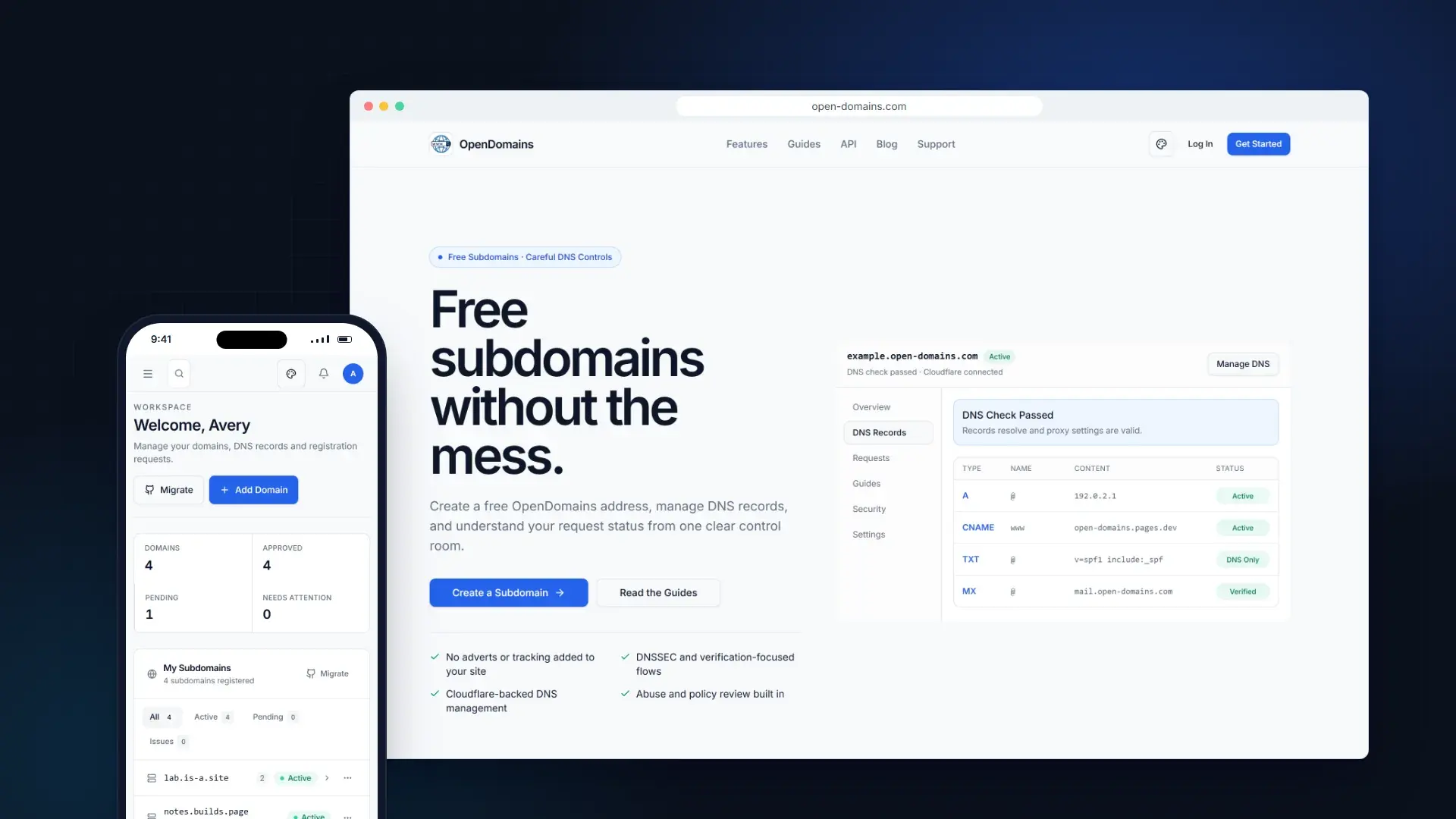
Building Rootminster: The Open Domains Dashboard
How we replaced a pile of separate tools with one self-hosted dashboard for free subdomains, DNS, request reviews, and everything around them.
What Open Domains needed
Open Domains gives people free subdomains. You pick a name, point it at your project, and it's live. That sounds simple, but it pulls in a lot of work behind the scenes: someone has to review requests, DNS has to stay in sync with Cloudflare, accounts need security, abusive sites need to come down fast, and staff need a way to see all of it.
For a while that work was spread across different places, including a GitHub registry for older registrations. We wanted one place for all of it. That became Rootminster, the self-hosted platform that runs the Open Domains dashboard.
The code is public at open-domains/Rootminster.
The first public release
The first public commit landed on August 30, 2026. It wasn't small: 251 files and about 43,000 lines, because a working version had already been built in private. From there, the repo grew to over 300 commits by the end of November.
The goal was never "a nice admin panel." It was one stack that handles the whole life of a subdomain:
- someone signs up and requests a name
- the request gets screened and reviewed
- DNS records get created in Cloudflare
- the owner manages their records, tokens, and settings
- background jobs keep everything correct over time
The stack
We kept the architecture small on purpose:
- React 18 + Vite for the web app
- Fastify 5 on Node.js 24 for the API, which also serves the built frontend in production
- PostgreSQL 17 for everything that needs to last
- a separate job runner process for scheduled work
- Cloudflare as the DNS provider
- Docker Compose to run it all:
app,jobs, andpostgres
Running it is one command:
docker compose up -d --buildMigrations run when the app container starts, and on a fresh install you can open /setup with a one-time setup key to create the first admin.
A few design choices that paid off
Two kinds of tables. Identity, sessions, and security data live in normal relational tables. Operational records like Domain, SubdomainRequest, DnsRecord, ApiToken, and AuditLog live in a single typed entity_records table using JSONB. That made it much easier to import data from the old setup and change record shapes without a migration for every field.
An allow-list for server functions. Most real work, like approving a request or editing a DNS record, goes through handlers in server/functions/. The frontend can only call names on an allow-list, and internal jobs are removed from the HTTP list completely, so a browser can't trigger a cleanup job by guessing its name.
Locks on scheduled jobs. The job runner uses PostgreSQL advisory locks. If someone accidentally starts two job containers, they don't both run the same cleanup or sync.
Modules instead of env vars. Optional services (SMTP, Discord, Stripe, Umami, OAuth providers, Turnstile, backups, threat feeds) are turned on and configured from Admin → Module Settings. Their secrets are encrypted with AES-256-GCM before they hit the database and are never sent back to the browser. The environment only keeps what the app needs to boot.
What users see
The user side is built around one question: is my subdomain working, and if not, why?
The dashboard shows your domains, pending requests, and anything that needs attention. The DNS manager is where most people spend their time.
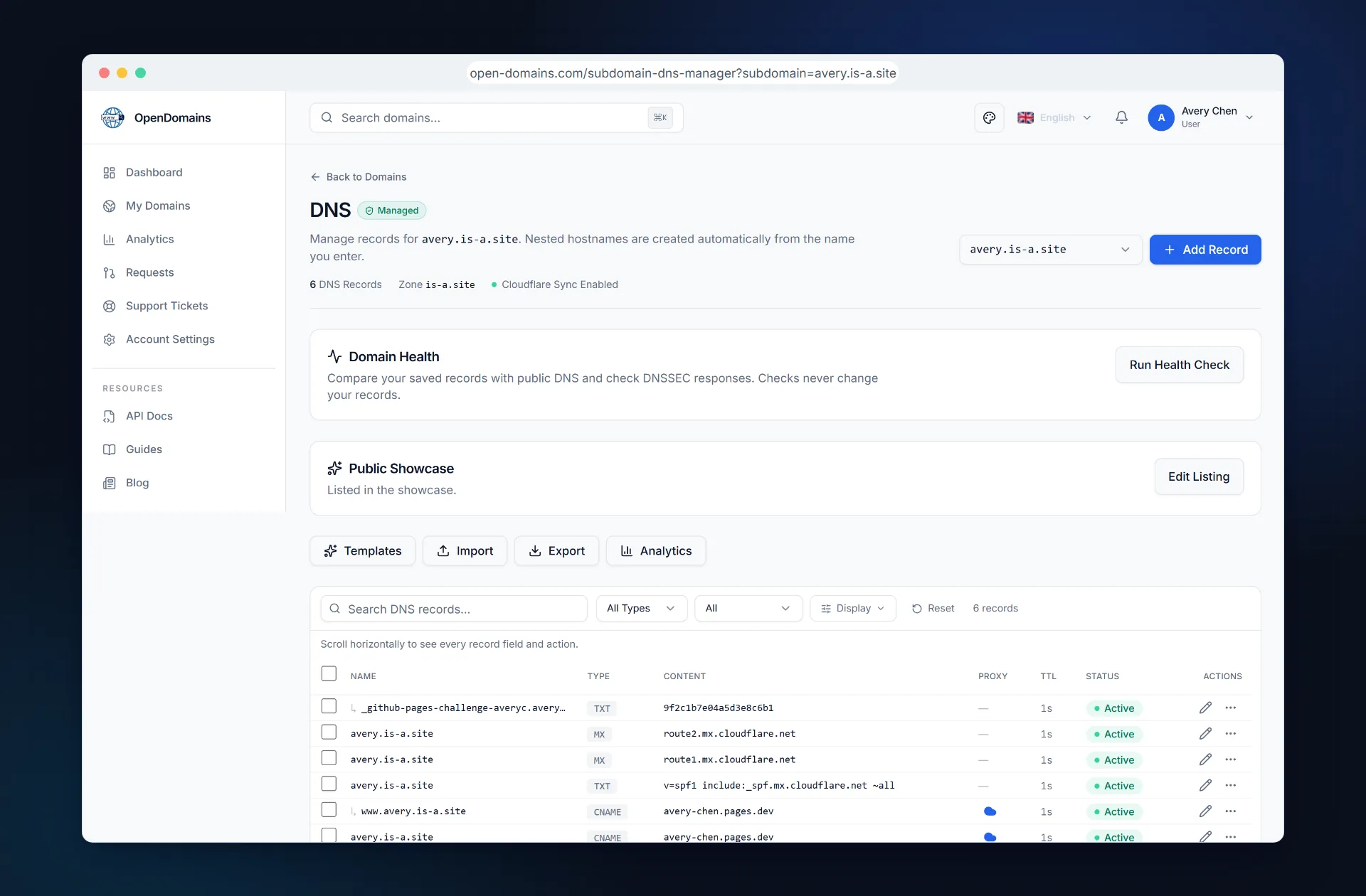
Some things in there I like a lot:
- Domain health checks compare your saved records with what public DNS actually returns, and check DNSSEC. They never change your records; they just tell you what's wrong and how to fix it.
- Templates set up common hosts (like GitHub Pages) in one step, then check that it worked.
- Import and export for your records.
- An opt-in public showcase, so people can show off what they built.
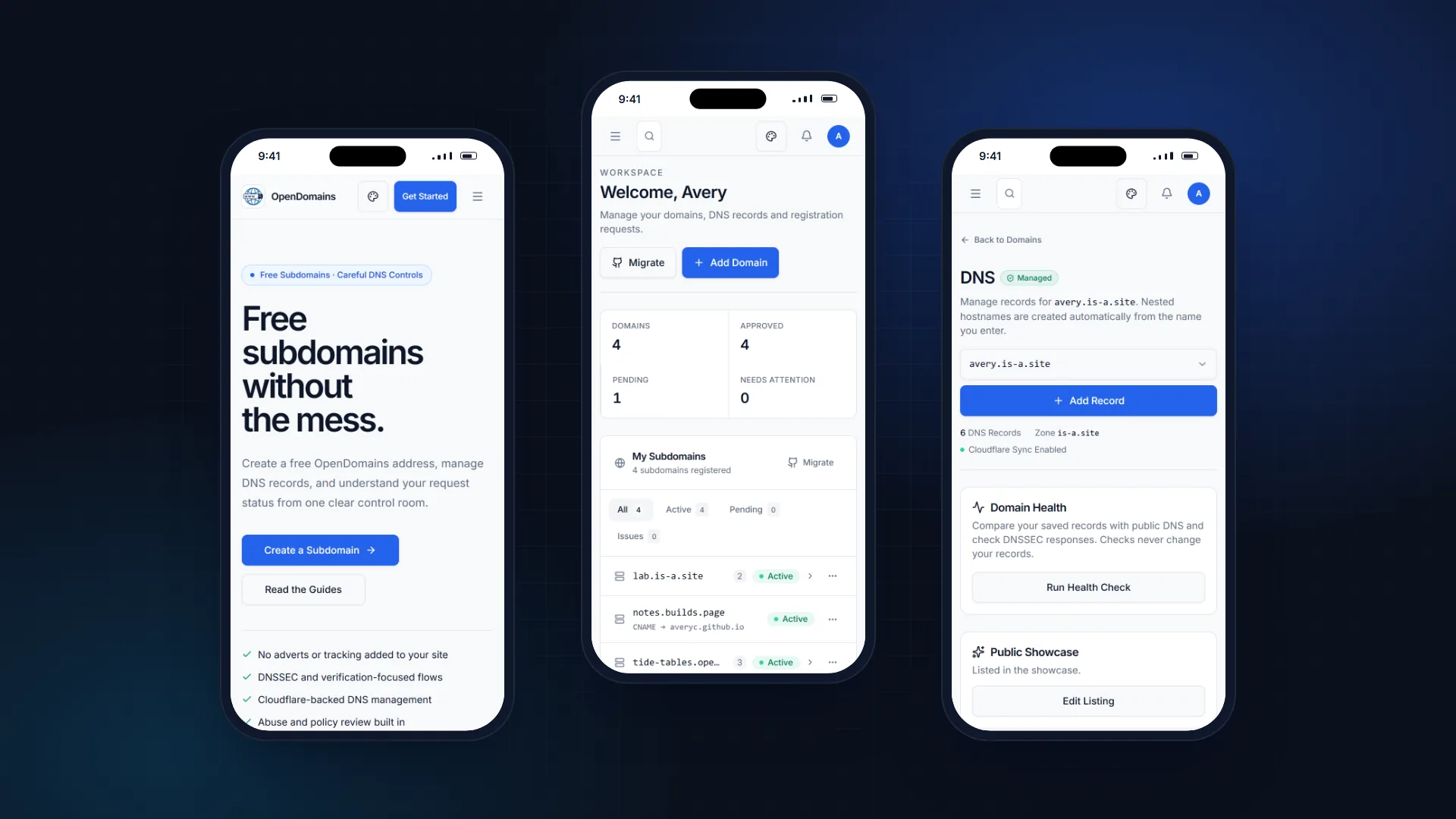
It works on phones too, since a lot of people check on their domain from wherever they are.
API tokens that can only do one thing
Rootminster has a versioned REST API under /api/v1, with docs at /api-docs and an OpenAPI 3.1 file. The interesting part is how narrow the tokens can be. A token can be limited by:
- permission
- exact hostname
- DNS record type
- expiry date
That makes a few nice features safe:
- Dynamic DNS uses a
dns:dynamicpermission and can only update A and AAAA records on hostnames you own. It will not quietly create a record that doesn't exist. You can even set it up on a phone or router by scanning a QR code, which is generated in the browser and only shown while the new token is on screen. - ACME DNS-01 (for HTTPS certificates, including wildcards) uses a
dns:acmepermission that can only write TXT records at_acme-challenge.<your hostname>. It works with lego and ships with a certbot hook.
The tokens are stored hashed, and rate limits are on by default.
What staff see
The other half of the dashboard is for the people reviewing requests.
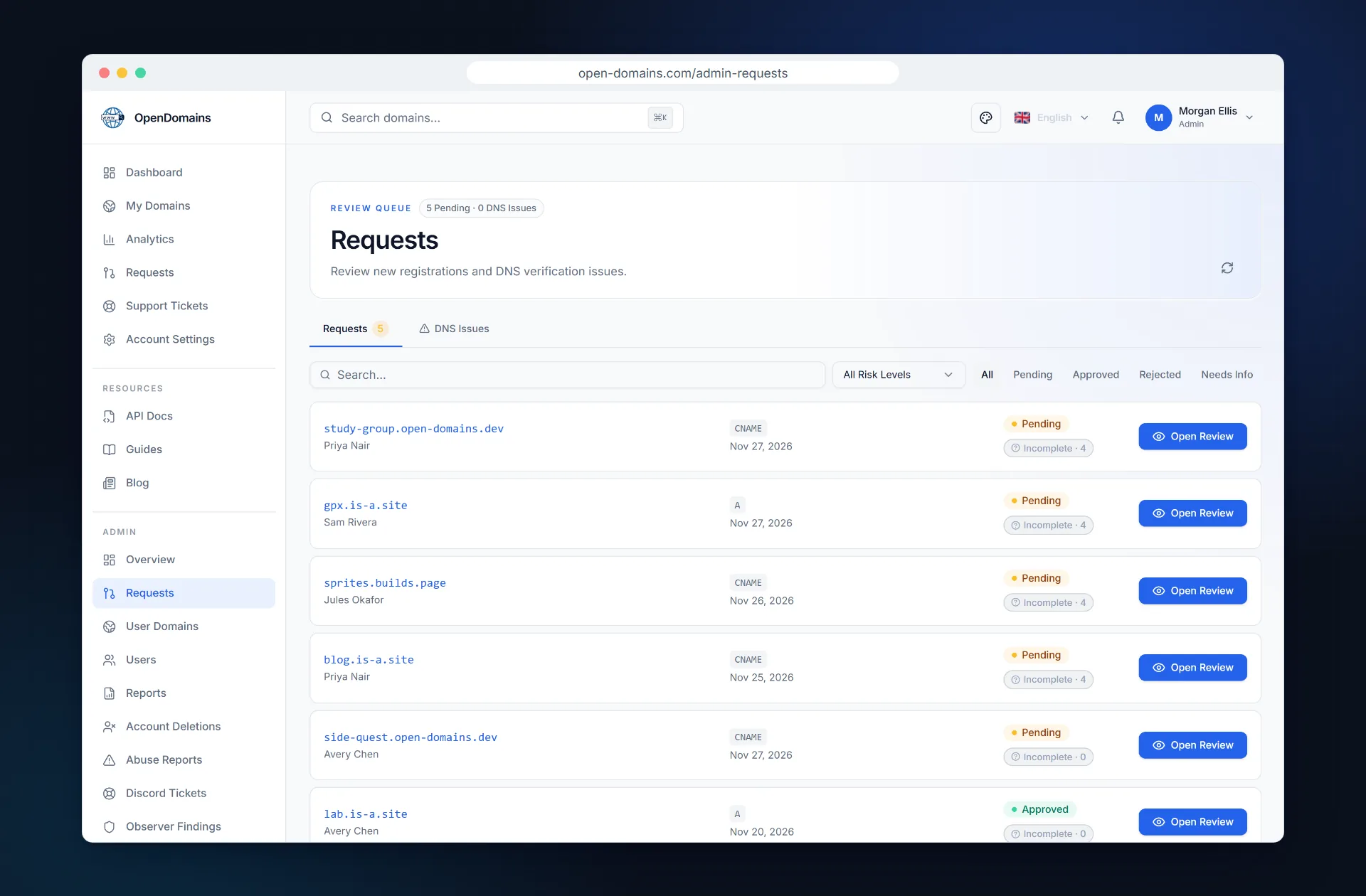
Every request gets a risk check that explains itself. It looks at things like suspicious wording, the preview URL, protected brand names, account age, how many requests the account has made recently, past rejections, sensitive record types, and DNS targets that lots of other requests share.
The score helps staff decide what to look at first. On its own, it never approves anything. Staff can see each signal, run the check again, or override it, and overriding needs a written reason that goes into the audit log.
Instant approval, carefully
Waiting in a queue for a simple CNAME to GitHub Pages isn't great, so we added instant approval. It's off by default. When it's on, a request goes live in seconds only if all of these are true:
- the preview link was scanned and nothing was found
- every record type is on the allow-list (A, AAAA, CNAME, and TXT by default)
- the risk check comes back clear, with no high or critical signal
- the account is old enough (one day by default)
- the account has never had an instant approval pulled back
- the daily limits for that account and for the whole platform haven't been hit
Anything else goes to the normal queue.
Approval isn't the end, though. A preview can look different from what the record actually serves, and sites change. So the job runner scans each instantly approved hostname again after 30 minutes, then every day for two weeks. If something serious shows up, Rootminster removes the DNS records, puts the request back in the queue, emails the owner, posts in Discord, and logs everything. Staff can also pull one back by hand.
The rest of the admin tools
There's a lot more on the staff side than requests:
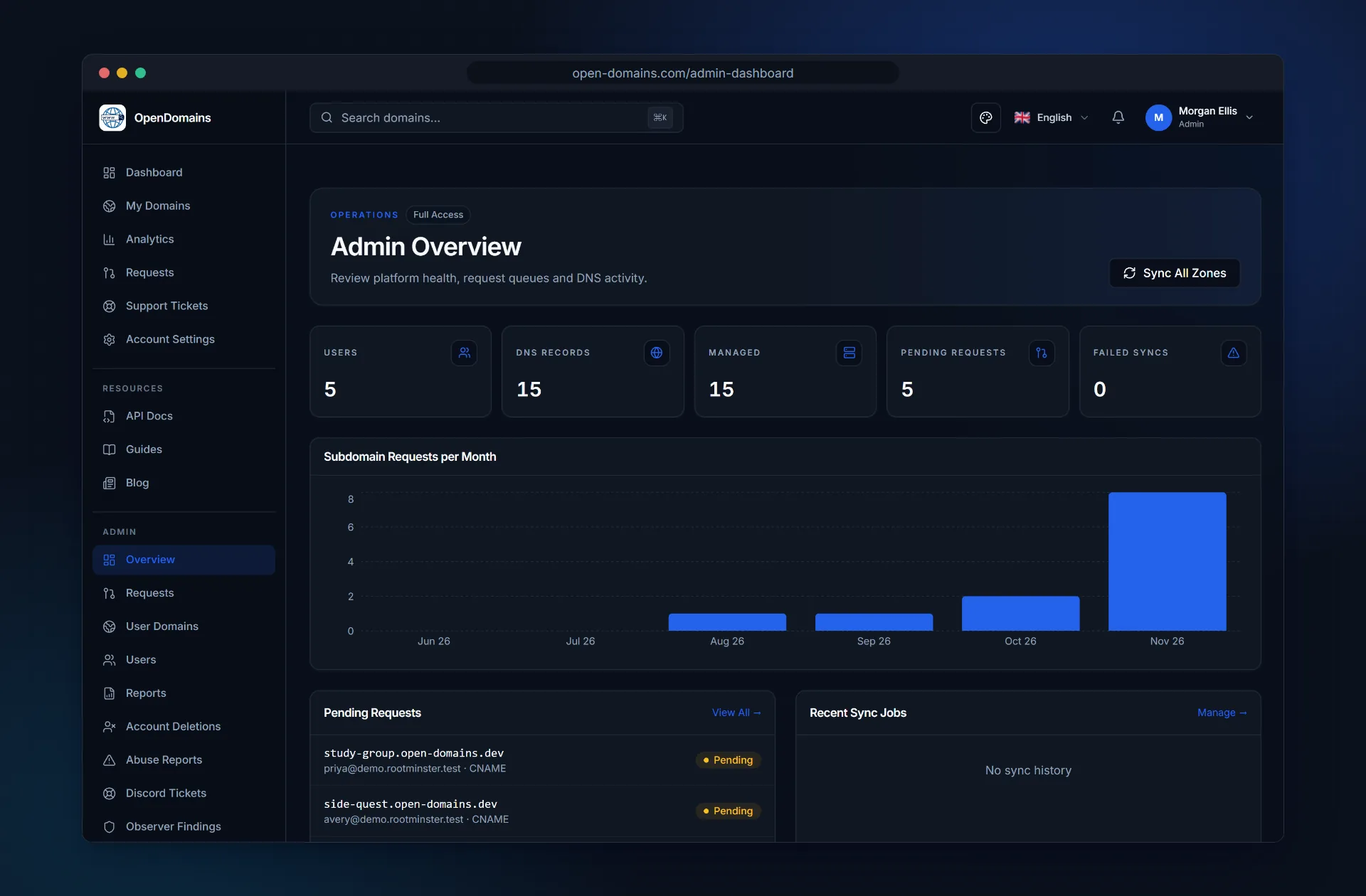
- Abuse reports, grouped by host, with status links for the people who reported them
- Threat intelligence using Google Safe Browsing, URLhaus, and OpenPhish
- DNS re-screening: if an approved record's target changes, it gets checked again, and risky changes are held
- Discord tooling: request panels, review buttons, support tickets, and weekly stats
- Account deletion requests, data export, and inactive account cleanup
- PDF reports, an audit log, and user impersonation for support (with a blocklist of actions that can't be done while impersonating)
There's also an optional MCP endpoint at /mcp, so AI assistants can work with Rootminster through OAuth 2.1 with PKCE. Permissions are checked against the user's current role on every call, so if a staff member is removed, their access stops right away instead of living on in an old token.
Security from the start
Since Rootminster controls real DNS, security had to be part of the design, not added later:
- passwords hashed with Argon2id
- sessions stored in the database
- two-factor login with TOTP and passkeys, required for admins
- role checks on the server for every protected action
- Cloudflare Turnstile on public forms
- staff email addresses hidden from public request conversations
- PostgreSQL kept on an internal Docker network
A lot of the commit history is hardening work. In September we closed bypasses in DNS deletion and authentication. In October we stopped OAuth sign-in from merging into unverified pre-registered accounts. These are the kinds of bugs you only find by going looking for them, and we'd much rather find them ourselves.
The ownership bug week
One of the hardest parts of this project wasn't a feature. It was keeping track of who owns what.
Ownership of a subdomain and its DNS records can change in a lot of ways: approvals, staff edits, API updates, migrations from the GitHub registry, admin migrations, repairs, cleanup of suspended names. If any of those paths forgets to update ownership, you end up with records nobody owns, or a "suspended" badge on a domain that's working fine.
On September 20 alone there were about twenty commits fixing this. The answer was to put all the ownership logic in one place, have every DNS change go through it, and run a reconciliation job every day and on startup to fix anything that drifted. Then we added tests for the strange cases, like old records that were linked to their owner in a roundabout way.
It's not exciting work, but it's what makes the dashboard trustworthy.
Backups that stay free
Backups go to Cloudflare R2. Rootminster makes a native PostgreSQL archive, encrypts it on the server with AES-256-GCM, and uploads only the encrypted file.
We also wanted it to stay inside R2's free tier forever, so it has hard limits built in: 9 GB of storage, 900,000 Class A operations, and 9,000,000 Class B operations a month by default. Older backups are deleted before an upload would go over.
Restores are careful too. Every restore makes a fresh safety backup first, checks the archive, restores in a single transaction, and signs everyone out.
Two themes, light and dark
The dashboard has two looks:
- Classic: the blue Open Domains style. Admins can change the accent color.
- Fieldwork: warm paper colors, forest-green accents, DM Sans for the interface, and Instrument Serif for big marketing headings. In dark mode it switches to deep green with a pale sage accent.
Light, dark, and system mode work separately from the theme, so you get four combinations.
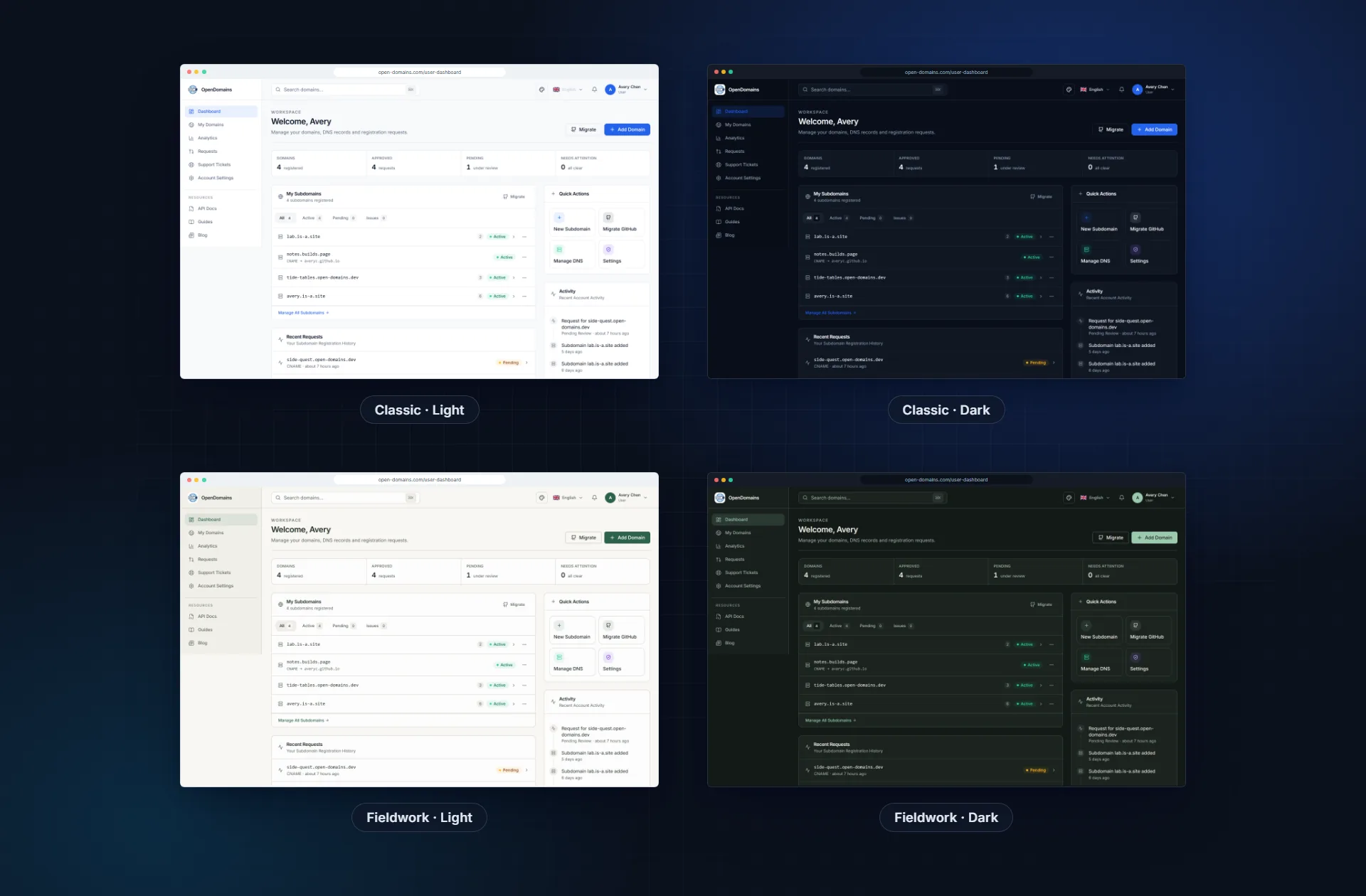
Your choice is saved per browser and syncs across tabs. It's also applied before the page renders, so you don't get a flash of the wrong theme.
Building it with AI agents
A good part of the later work was done with AI coding agents. About 70 commits are co-authored by Claude, a lot of them through T3 Code, and a rootminster-bot account landed many of the fixes for errors reported by GlitchTip.
That worked best on well-defined tasks: dependency upgrades one package at a time, security audit findings, new modules like ACME DNS-01 and threat intelligence, and cleanup like reorganizing the server/ folder into core, routes, integrations, and lib. The project's AGENTS.md keeps agents on the same rules as everyone else, like conventional commit messages.
My own recent work was mostly UI polish: title case across labels and buttons, a new footer bar, better spacing and keyboard navigation in the command palette, fixing contrast in conversation threads, and moving the admin reports page onto the shared admin layout.
How the images in this post were made
Every screenshot and animation in this post came from the real app, not a mockup. We built a small Remotion pipeline for it in three steps:
- Seed a throwaway database with made-up users, subdomains, DNS records, showcase entries, and pending requests. The script refuses to run if it finds any real accounts, so it can't touch a live install.
- Capture the running site with Puppeteer: every page, on desktop and mobile, in all four theme combinations. Admin pages need two-factor login, so the demo admin gets a fixed, publicly known TOTP secret and the script passes the real 2FA check.
- Animate it with Remotion: browser and phone frames, a product tour, theme wipes, and scrolling pages with the sticky header pinned in place.
The GIFs were a fun problem. The first product tour came out at 17.5 MB. Rendering to MP4 first and converting with ffmpeg helped a little, but it was still 16.7 MB. The real cause was a slow camera drift that changed every pixel on every frame, which breaks the way GIFs save space. Holding the frames still between transitions brought it down to 4.4 MB.
What's next
Rootminster is still moving fast, with new commits landing most days.
If you want a free subdomain, head to open-domains.com. If you want to run your own shared-domain service, or just look at how this one works, the code is at open-domains/Rootminster.